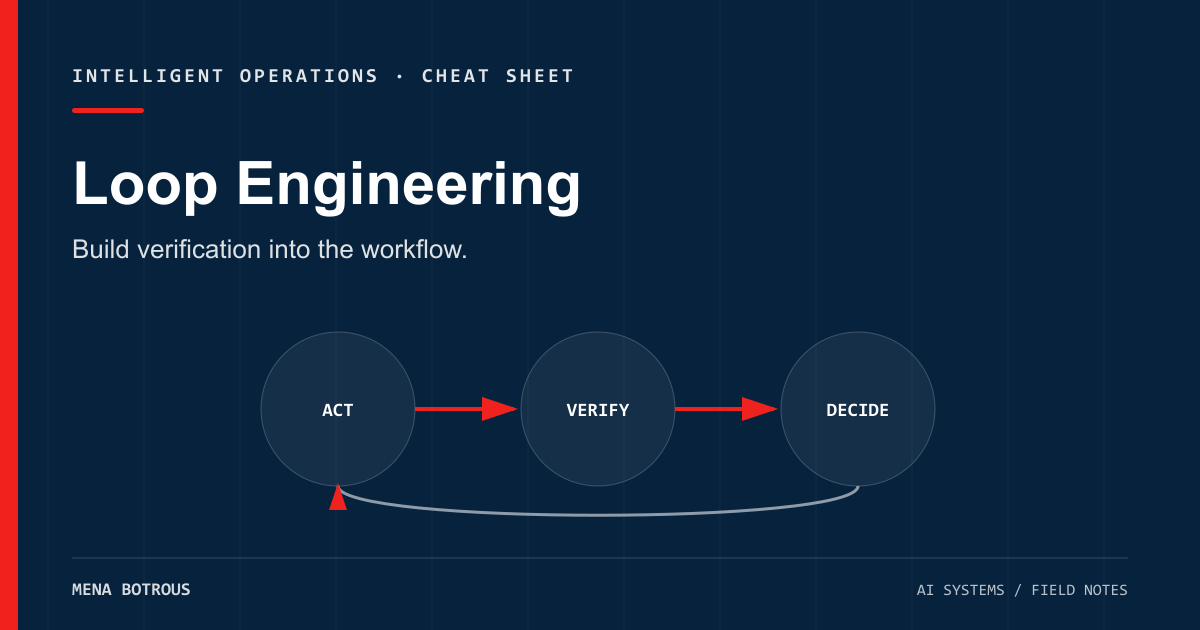
Loop engineering is an emerging name for designing the cycle around an AI agent—not merely writing the prompt it receives.
The basic loop is simple:
Target → Observe → Act → Verify → Decide → Repeat or stop
The hard part is making each arrow trustworthy.
This cheat sheet is a practical starting point for coding, research, content, and business-automation loops.
The minimum viable loop
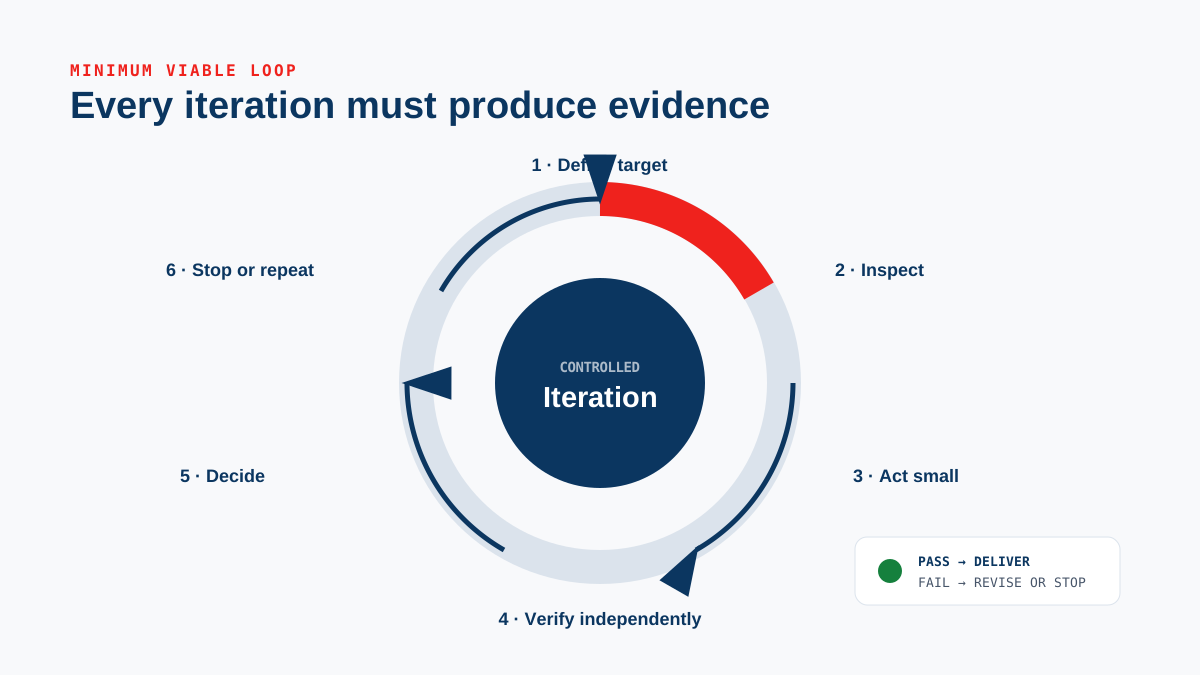
state = inspect_environment()

while budget_remaining:
    next_action = agent(goal, state, rules)
    result = execute_within_boundary(next_action)
    evidence = run_verification(result)

    if acceptance_criteria_met(evidence):
        return verified_result

    if hard_stop_triggered(evidence):
        return blocked_with_evidence

    state = update_state(result, evidence)
The agent is only one function in this system. The environment, boundary, verifier, and stop conditions are equally important.
1. Define a target the system can test
Bad target:
Make the website better.
Testable target:
Improve the mobile blog index without changing the site navigation. At 390px width, cards must fit without horizontal overflow, every filter must be keyboard accessible, and the production build must pass.
Use this template:
Outcome:
Scope:
Non-goals:
Acceptance checks:
Deliverable:
Stop conditions:
Approval boundary:
If “done” depends entirely on someone’s feeling, the loop cannot verify itself.
2. Inspect before acting
Every loop should begin with current state, not assumptions.
| Work type | First observations |
|---|---|
| Code | Branch, working tree, tests, build commands, relevant files |
| Research | Question, date boundary, source quality, missing evidence |
| Content | Audience, claim ledger, brand rules, distribution format |
| Operations | System status, permissions, prior run, failure logs |
A stale observation poisons every later decision. Re-inspect whenever another process or person may have changed the environment.
3. Keep actions small enough to diagnose
Large actions create ambiguous failures. Prefer one coherent change followed by a check.
Useful action sizes:
- one schema change;
- one migration step;
- one content section;
- one integration permission;
- one deployment environment.
This does not mean working slowly. It means preserving cause and effect.
4. Separate execution from verification
“File written successfully” proves that bytes were written. It does not prove that the program works.
Verification should match the claim:
| Claim | Required evidence |
|---|---|
| The code compiles | Real compiler or production build output |
| The behavior works | Focused automated test or exercised workflow |
| The page looks correct | Rendered desktop and mobile inspection |
| The source supports the claim | Direct source review and citation |
| The deployment succeeded | Platform status plus live or preview HTTP check |
| The automation is safe | Permission boundary and failure-path test |
Whenever possible, make the verifier independent from the generator. A second test suite, reviewer, or browser view may catch what the implementation loop normalizes away.
5. Return evidence, not confidence
Agents are good at sounding finished. A loop should report artifacts and observations instead.
Weak completion:
Everything looks good.
Evidence-backed completion:
Tests: 18 passed, exit 0
Build: completed, exit 0
Preview: HTTP 200
Mobile QA: 390 × 844, no horizontal overflow
Known limitation: CMS login write-path not exercised
Confidence is useful for prioritizing review. It is not a substitute for proof.
6. Design explicit stop conditions
A loop that only knows how to continue is not autonomous. It is uncontrolled.
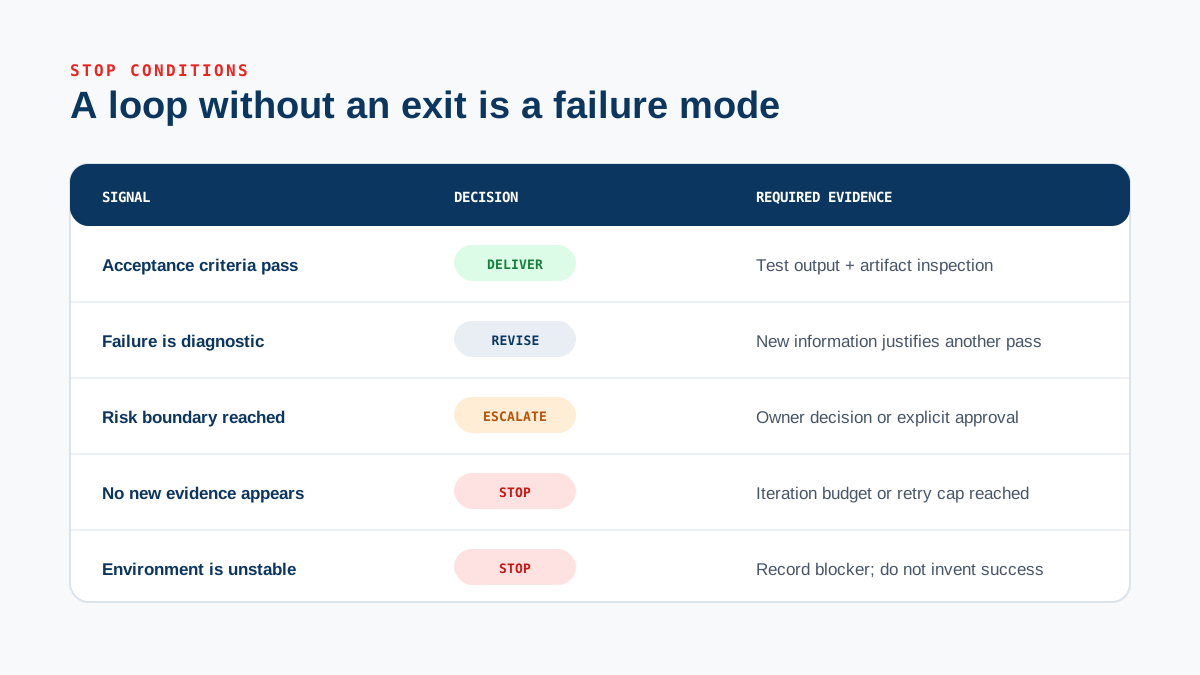
Stop successfully when:
- every acceptance check passes;
- required artifacts exist;
- no release-blocking finding remains.
Stop as blocked when:
- a credential or permission is missing;
- the same failure repeats after a defined retry count;
- evidence contradicts the requested outcome;
- the next action crosses an approval boundary;
- time, token, or cost budget is exhausted.
Escalation should include the failed check, relevant evidence, and the smallest decision needed from a person.
7. Budget the loop
Longer loops are not automatically better. Cost grows through model calls, tool calls, human review, and opportunity cost.
Set budgets before execution:
limits:
  max_iterations: 12
  max_retries_per_check: 2
  max_runtime_minutes: 30
  max_parallel_workers: 3
  require_human_approval_for:
    - production_publish
    - external_message
    - paid_purchase
A useful loop spends more on verification when the action is expensive or irreversible.
8. Preserve the lesson at the right layer
After a successful run, decide what should survive:
- stable user preference → memory;
- project rule → repository context file;
- reusable method → skill;
- testable invariant → automated test;
- temporary progress → session or task tracker;
- failure evidence → incident record.
Do not store everything. Store the piece that reduces future steering or prevents the same failure.
The preflight checklist
Before launching a loop:
- The outcome is measurable.
- Scope and non-goals are explicit.
- The agent can inspect the real environment.
- Actions are bounded by permissions.
- Every major claim has a verifier.
- Retry, time, and cost limits exist.
- Success and blocked states are both defined.
- External or irreversible actions have approval gates.
- The final report requires evidence.
The review checklist
Before accepting the result:
- Did the loop run the real workflow or only describe it?
- Are tool outputs tied to each claim?
- Was the failure path exercised?
- Did an independent check challenge the result?
- Are known limitations stated plainly?
- Can the change be rolled back?
- Is the next action safe and unambiguous?
The rule to remember
Prompt engineering improves an instruction.
Harness engineering improves the environment in which an agent operates.
Loop engineering improves the system that decides what happens next, how the result is checked, and when the work must stop.
If verification is vague, the loop is vague—no matter how advanced the model looks.
Evidence ledger
Sources
- Loop Engineering
Addy Osmani · Accessed 2026-07-15
Supports: An early practitioner framing of recursive goals, checks, cost concerns, and orchestration.
- What Is Loop Engineering?
Kilo · Accessed 2026-07-15
Supports: A practical definition centered on planning, action, observation, revision, tools, and stopping criteria.
- Agent Approvals and Security
OpenAI · Accessed 2026-07-15
Supports: Risk boundaries for agent actions, sandboxes, approvals, and network access.
- Evaluation Best Practices
OpenAI · Accessed 2026-07-15
Supports: Why evaluations need explicit criteria, representative cases, and ongoing measurement.
About the author
Mena Botrous
AI architect and founder of NuMust. I build agentic systems, automation pipelines, and practical AI operating models for businesses.
Discuss an AI system